


You search your business name before calling a potential customer back, and a false blog post appears on Google's first page. It says your company took payment without doing the work. You have records showing otherwise, but the customer searching your name won't see those records. Your first instinct is to open a support ticket and ask Google to delete the story.
Learning how to remove defamatory content from Google starts with a less satisfying but more useful answer: you need to identify who controls the page, what's false, and which removal process applies. A publisher request, a platform-policy report, and a court-order submission aren't interchangeable.
Table of Contents
- Pick the Right Removal Path First
- Save Proof Before You Ask for a Takedown
- Ask the Publisher to Remove the Page
- Use a Lawyer When the Publisher Refuses
- File the Correct Google Removal Request
- Suppress What Stays and Decide Your Next Move
Pick the Right Removal Path First
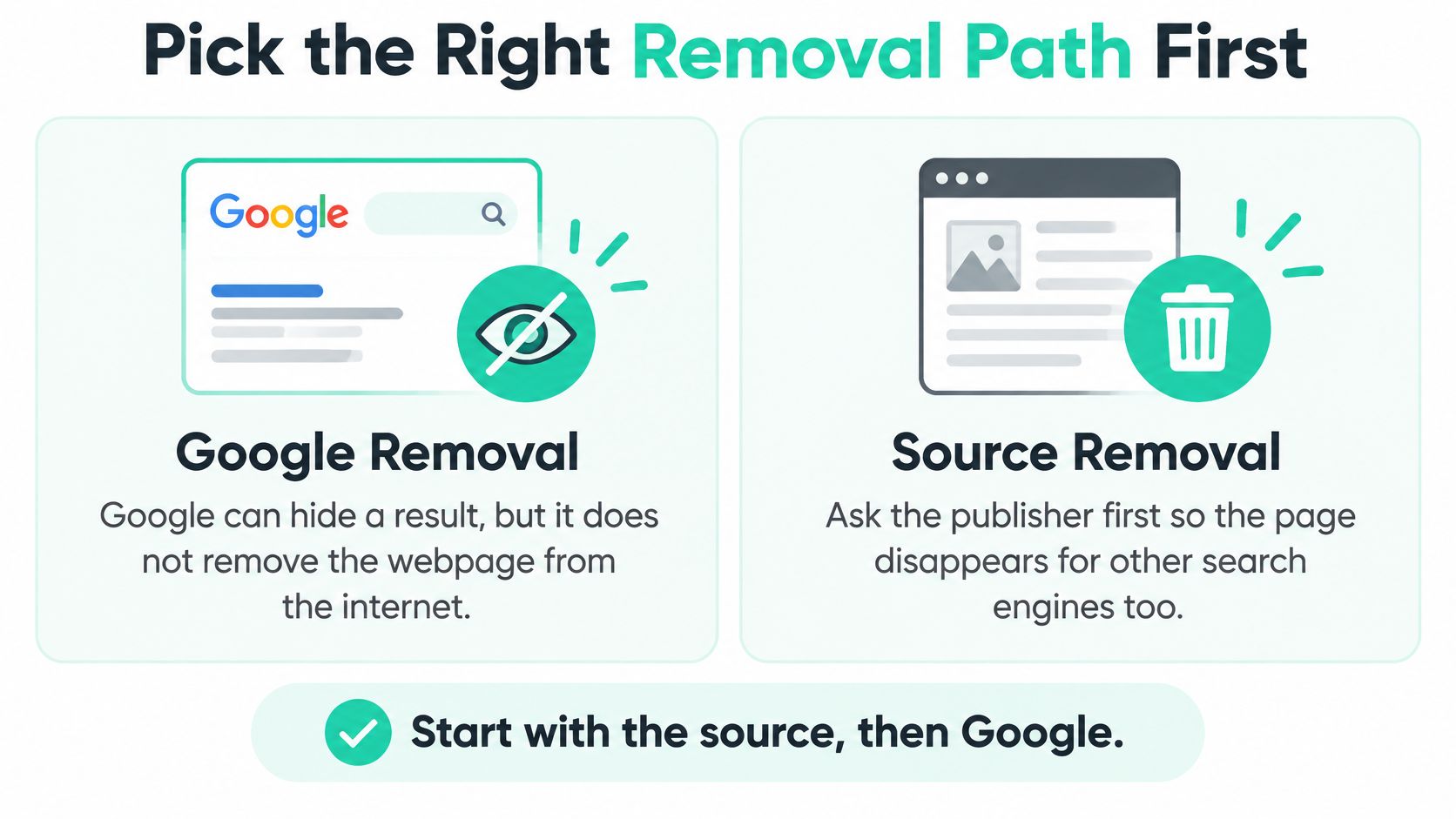
Google can remove a search result without deleting the webpage. The publisher controls the original article. If Google stops showing that article, someone with its direct address may still read it, share it, or find it through another search engine.
Google also won't treat an accusation of defamation as an ordinary customer-service complaint. Its legal-removal form asks for exact URLs and an explanation of why the material is unlawful, warns that submission doesn't guarantee removal, and says a court order is required for defamation rather than using the general form as a substitute.
The distinction between the source and the search result is the starting point.
Which Removal Path Fits the Content
Choose the row that describes what you found, not just how damaging it feels.
| Content you found | Start here | What success looks like |
|---|---|---|
| False factual article or blog post | Ask the publisher to remove or correct it, then seek a court order that lists each URL | Google may drop the listed result; the page can remain on the source site |
| Court order already names the pages | Submit Google's court-order form with every URL and the matching part of the order | Google reviews the order URL by URL and doesn't treat the form as service of process |
| Fake, off-topic, or policy-breaking review | Report it under Google or Yelp review rules, not the defamation form | The review may come down if it breaks that platform's rules |
| Opinion, substantially true criticism, or a privileged statement | Don't file it as defamation | The result usually stays; reply where you can and publish stronger pages |
| Copied or spam page repeating the claim | File a separate spam or safety report and still pursue the original source | A policy report doesn't count as legal notice and doesn't replace a court order |
A bad review isn't automatically defamatory. A customer saying they disliked your service is different from someone falsely claiming your company collected payment for a job it never performed. Context matters, so avoid deciding that a sentence is actionable based on a few words taken out of the page.
Likewise, don't assume that an obviously copied article qualifies for removal because the original is false. Record the copied page separately and identify the policy or legal basis that applies to it.
Define the Outcome Before You Contact Anyone
Write down what you want changed: the false sentence, the entire source page, the Google result, or a review that breaks platform rules. Those outcomes require different decision-makers and different evidence.
Removal and reputation management are related, but they aren't the same task. A broader online reputation management approach can include work on the results that remain, while a legal request addresses specifically identified unlawful material.
Before sending a message, collect every URL on your chosen row. A homepage address, business name, or screenshot alone doesn't identify all the pages you want reviewed.
Save Proof Before You Ask for a Takedown
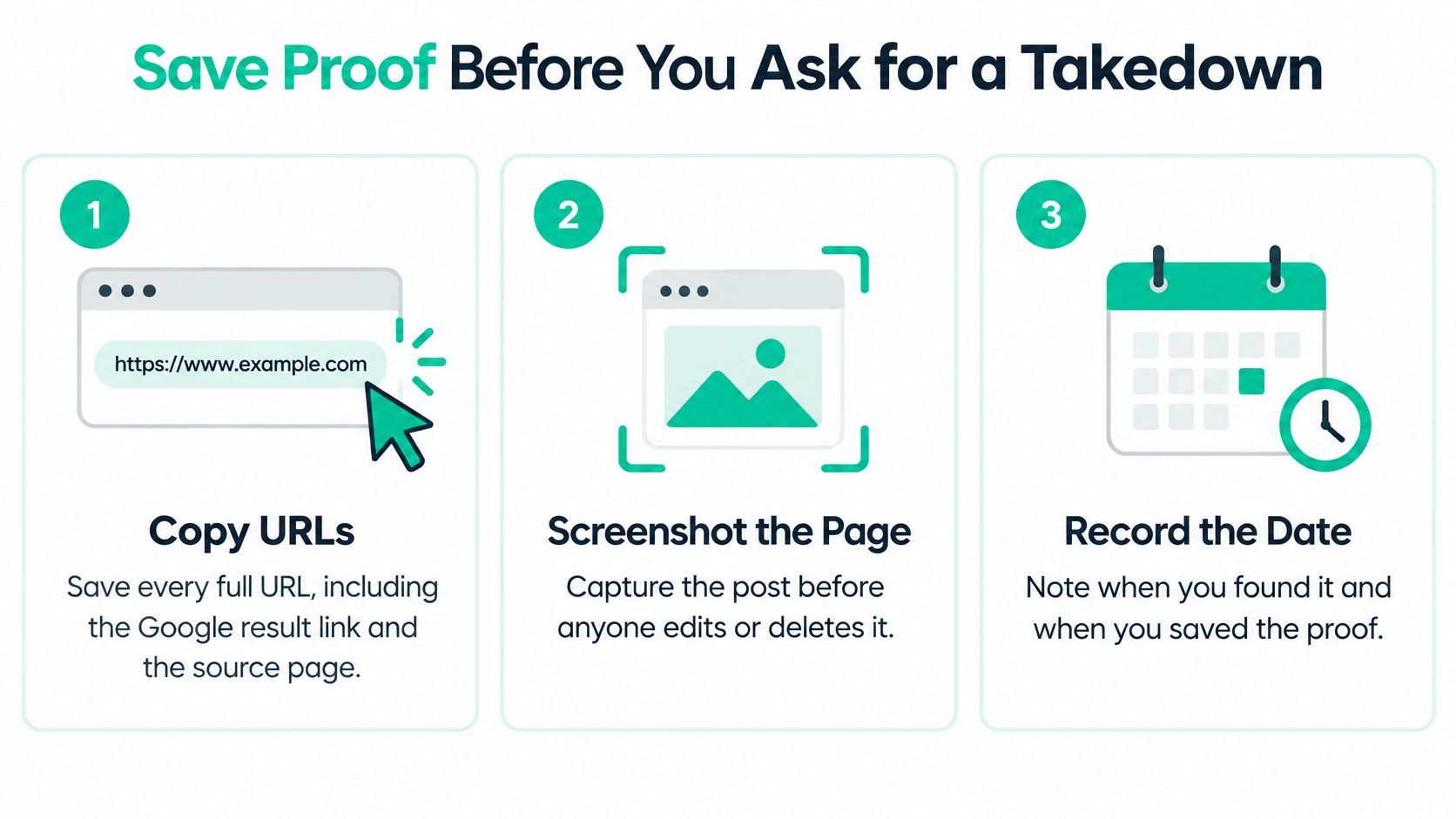
Preserve the record before alerting the publisher. Someone may edit the accusation, change the headline, or delete the page after receiving your message. You'll want a clear record of what appeared, where it appeared, and when you captured it.
Keep the original captures separate from any highlighted or annotated copies. A folder containing screenshots, saved pages, correspondence, and supporting business records is easier to use than a scattered collection of phone images.
Use this checklist before making contact.
Build a Usable Evidence Packet
Copy every full URL. Save the source-page address and the Google result link. Keep separate entries for republished versions rather than treating them as a single page.
Capture the result and the article. Screenshot the search listing and the full page, including the title, author, and publication date where available. Save a PDF through your browser's print function and any available cached copy.
Identify the factual accusations. List the exact sentences you dispute. Separate claims that can be checked against records from insults, ratings, and expressions of dissatisfaction.
Match each statement to proof. Next to each accusation, name the contract, invoice, dated email, or official document that contradicts it. Explain what the record establishes rather than attaching an unexplained pile of files.
Document the harm separately. Save a canceled-job email or a client's message mentioning the accusation. Record what the person said, not what you assume motivated them.
Record the search and capture date. Note the query you typed and when you saved the evidence. This helps distinguish the article itself from how Google displayed it at that moment.
Separate Falsity From Harm
Say a post claims your company never completed a repair. A signed completion record may help disprove that accusation. A customer canceling another appointment may help document harm, but it doesn't establish whether the repair happened.
Practical rule: Evidence that a statement hurt your business isn't evidence that the statement is false.
A viable defamation claim generally requires a false factual assertion, publication to someone else, the applicable fault standard, and legally recognizable reputational harm. Opinion, substantially true statements, and privileged statements are common obstacles, so have counsel assess the actual wording and context rather than relying on the label defamatory.
Keep your submission organized instead of repeatedly sending partial complaints. Google's explanation of its legal-review process warns that duplicate submissions delay processing and describes automated and human review that considers public interest alongside applicable legal rights.
This packet should give the publisher something concrete to verify, a lawyer something to assess, and Google material it can match to your eventual request.
Ask the Publisher to Remove the Page
The publisher can change what readers encounter. A source-level correction fixes the statement on the page, while deletion removes that particular page from the site. Other copies still need their own attention, and search results may not update immediately.
Prepare your message somewhere you can review it calmly before sending it.

Contact the Person Who Can Make a Change
Find an editorial contact. Look for a corrections page, editor's address, legal email, or contact form. Send the request to someone responsible for the published material rather than an unrelated sales inbox.
Check alternative contacts if necessary. Domain-registration information may identify a contact, although details can be private. A hosting company's abuse channel is another possible route, but it isn't a substitute for proving your complaint or obtaining legal relief.
Send a focused request. Name the page, reproduce the disputed sentences accurately, explain the error, and attach relevant proof. Ask for removal or a visible correction that directly addresses the false facts.
Set a clear response window. Choose a specific reply date and keep a copy of the message and attachments. Don't describe your chosen deadline as a legal requirement unless counsel confirms it is one.
Consider a meaningful correction. If the publisher offers to fix the accusation prominently, assess whether that solves the problem. Deletion isn't always necessary to correct the record.
Stop the public argument if they refuse. Preserve their reply and take the file to counsel. A comment fight can create more material for people to share without resolving the original accusation.
Keep the Request About Verifiable Facts
Consider a hypothetical local contractor accused of taking payment and skipping a completed job. The useful response sticks to the invoice, completion date, and customer acknowledgment, not the contractor's anger.
A short message could read:
Your article states that our company accepted payment and never completed the work. The attached completion record and customer acknowledgment show that the contracted work was finished on the documented completion date. Please remove that assertion or publish a visible correction, and confirm your decision by the reply date in this message.
Attach a redacted copy if the record contains unrelated customer information. Make it easy for an editor to check the disputed claim without exposing private details that have nothing to do with it.
If you prefer a video format, the following is an additional viewing option.
Don't include threats you won't carry out, a demand for money, or a claim that Google has already agreed with you. Keep the tone suitable for someone else to read later, including a judge.
A written refusal doesn't prove defamation, but it preserves the publisher's response. That correspondence is useful when a lawyer decides what the next letter should say.
Use a Lawyer When the Publisher Refuses
If a publisher refuses to remove a page, a lawyer can assess whether the statements support a defamation claim and what remedy may be available. A complaint aimed only at Google may miss the legal target because the disputed words came from the publisher.
In the United States, Section 230 of the Communications Decency Act generally protects an interactive computer service from being treated as the publisher or speaker of information supplied by someone else, as the Congressional Research Service explains. As a result, saying that a Google result is defamatory does not, by itself, establish a claim against Google.
Bring your records to a consultation so counsel can assess the facts, potential defenses, evidence of harm, and the court's authority over the dispute. Ask what could make the claim fail, as well as what action may be available.

What Counsel Should Assess
A useful consultation should clarify your options and their trade-offs.
- Screen the claim. Counsel can assess whether the disputed statements are factual claims, consider possible defenses, review evidence of harm, and determine which court may have authority.
- Consider a formal demand. A cease-and-desist or correction letter can identify the URLs and statements, summarize the supporting records, and state the requested action. It should make a supportable legal argument, not promise automatic removal.
- Evaluate litigation when justified. If the publisher will not cooperate, counsel can assess whether to file in the proper court and seek an order identifying the unlawful statements and affected pages.
A refusal does not automatically make a lawsuit worthwhile. Discuss legal costs, possible public attention, and whether a correction would address the problem without litigation.
Make the Order Usable
An order directed at a website owner differs from one directed at Google. Getting an order does not automatically complete the separate steps needed to ask Google to review affected results.
Google's court-order submission form is for orders concerning third parties that posted allegedly unlawful content. If the order does not list each page by URL, the requester must provide the exact URLs and explain which part of the order applies to each. The form also states that it cannot be used to serve legal process on Google itself.
A strong order names the URLs and the unlawful statements.
Ask counsel to consider the submission requirements when shaping the requested relief. An order that connects the court's findings to specific pages gives Google a clearer basis for reviewing the URLs. Even if Google removes a result, the publisher's page may remain online. Removing a link from Search is not the same as deleting the underlying page.
Court schedules and case complexity affect timing. Before promising a customer, employer, or business partner a removal date, ask your lawyer for an estimate of the likely time and cost.
File the Correct Google Removal Request
Treat the filing as a documented legal submission, not an opportunity to retell the whole dispute. The reviewer needs to identify the material, understand the applicable legal basis, and connect your documents to the requested action.
Google's Legal Help Center says you can report the same material through legal and product-policy routes, but each report must be filed separately, and a policy report doesn't count as legal notice. A Search spam report or review flag therefore doesn't start the legal process for an allegedly defamatory article.
Submit a Complete Legal Request
Choose the legal route for defamation. Select the relevant Google product and legal issue. Don't choose an unrelated safety category just because its form appears easier to complete.
Include the court order. Use the applicable court-order process rather than treating a general complaint form as a shortcut around adjudication. Have counsel check that the document you're submitting supports the action you're requesting.
List every affected URL. Match each page to the relevant finding or provision in the order. If the order concerns a third-party publisher, explain that connection clearly.
Explain the jurisdiction and identification. State where the legal basis applies and why the material concerns you or your business. Identify the false statements and attach the supporting records in an organized way.
Send a complete packet. Review the fields, attachments, and URLs before submitting. Keep the confirmation and request identifier instead of opening duplicate requests when you're anxious for an answer.
Track the response and verify the outcome. Record which URLs Google addresses, what action it reports taking, and any limits described in its reply. Check the source pages separately.
Use consistent filenames so a reviewer can find the right document. For example, label a completion record by its purpose and associate it with the disputed statement in your explanation.
Check for Gaps Before Sending
These are practical weaknesses to resolve before review, not a published ranking of rejection reasons.
| Weakness in the request | What to fix |
|---|---|
| Missing or incomplete URLs | Supply the full address of every page you want reviewed |
| An order names a person but leaves the pages unclear | Provide exact URLs and explain how the order applies, with counsel's help |
| The explanation describes lost business but doesn't establish falsity | Connect the disputed factual assertions to records that contradict them |
Keep the explanation factual. Repeating that a post is devastating won't help a reviewer determine which statement the order covers.
Before submitting: Confirm that every requested action has a matching URL and supporting document.
After Google responds, read the scope carefully. Don't assume an action applies to every country or Google product; check any limits stated in the decision.
Open a clean browser session and repeat the relevant search, recording the query and date. Also test the direct source-page address, because a changed search listing doesn't tell you whether the publisher acted. Don't use the court-order submission form as a way to serve Google with a lawsuit.
Suppress What Stays and Decide Your Next Move
Some damaging results won't qualify for removal. Others may remain visible while a legitimate dispute proceeds. You can work on what customers find without pretending you can erase every unfavorable page.
Suppression means improving the visibility of other results, not deleting the unwanted one. Anyone who continues searching may still find it. That trade-off matters when deciding where to spend your time and money.
Publish Pages That Answer Real Customer Searches
Start with useful pages on your own website. A service page should explain what you do, where you work, how customers contact you, and what they can expect. An About page should accurately identify the business and the people responsible for it.
- Use natural search language. Include your business name, service, and city where they make sense. Write for a customer comparing providers, not for a page stuffed with repeated keywords.
- Strengthen profiles you control. Keep business details consistent and update incomplete descriptions, outdated photos, and broken website links.
- Show real work. Publish permission-based project examples, clear service explanations, and helpful answers to questions customers ask.
- Avoid amplifying the allegation. Don't turn every new page into a rebuttal that repeats the accusation in its title.
A practical guide to suppressing negative search results can help you organize this work. The useful question is what a customer should find instead, not how many new pages you can publish.
Build Honest Reviews and Keep Watching
Invite satisfied customers to leave honest Google reviews without scripting their opinions. Reply calmly to genuine complaints, acknowledge the issue where appropriate, and offer a direct way to discuss it. Don't buy links or fake reviews.
Set aside a consistent day each week to check Google, Yelp, and Facebook. Save new accusations and copied pages in the same evidence file, and record changes to results you're already tracking.
Measure separate outcomes separately: a corrected article, a removed review, and a stronger service page are different achievements. That keeps a report from making a ranking change sound like a legal takedown.
We don't guarantee first-page rankings at Assertive Agency, because Google controls the results. Treat any promise of a particular position with caution.
If the statement is a false fact and the publisher refused, talk to a lawyer. If it's opinion or true, put the effort into better pages and honest reviews.
For a practical assessment, we offer a free reputation audit reviewing your business's ratings, reviews, and listings. We can also request removal of fake or off-topic reviews that break Google or Yelp policies, which is separate from obtaining a court order for a defamatory article.
Visit Assertive Agency to request a free reputation audit of your ratings, reviews, and listings. Bring the URLs you're concerned about so we can help distinguish policy-breaking reviews from results that need suppression work or a separate legal assessment.
